Before you start
About 15 minutes, and these to hand. Anything you skip can be added later.
- Your clinic’s address, phone, and consulting days and times
- Your logo, if you have one — PNG, JPG, SVG or PDF
- Each doctor’s consultation fee and working hours
- Your staff’s names, mobile numbers and emails
Step by step
Each step names the screen it happens on. Keep this page open in another tab while you go.
- 1
Create your clinic account
2 minutes- On doctorlync.com, choose Start free trial.
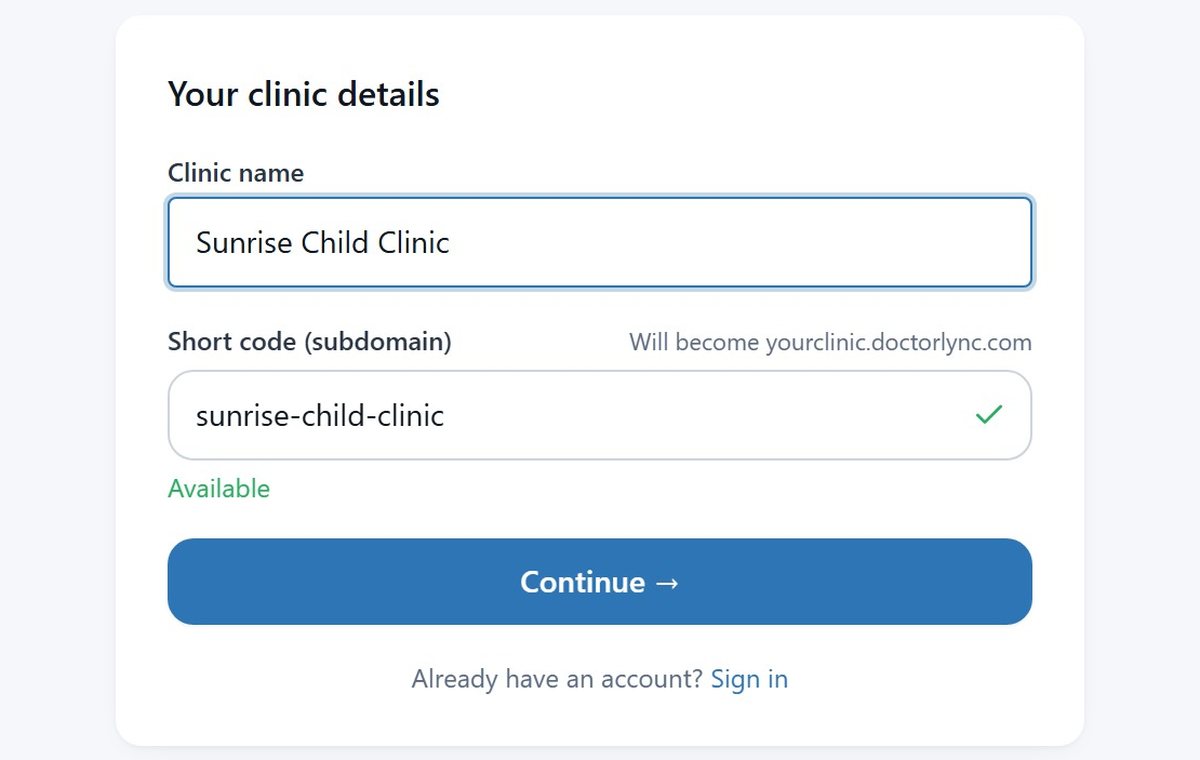
- Type your clinic’s name. Its short code fills itself in and becomes your clinic’s web address.
- Add your name, mobile number and email. Your mobile number is what you sign in with.
- Seeing patients yourself? Keep I see patients at this clinic ticked, so you can be booked and write prescriptions.
- Choose a password, then open the link we email you. Your clinic is ready.
- 2
Set up your clinic
5 minutes- Settings → My account: choose your specialty, and add sub-specialties or type your own. They print under your name.
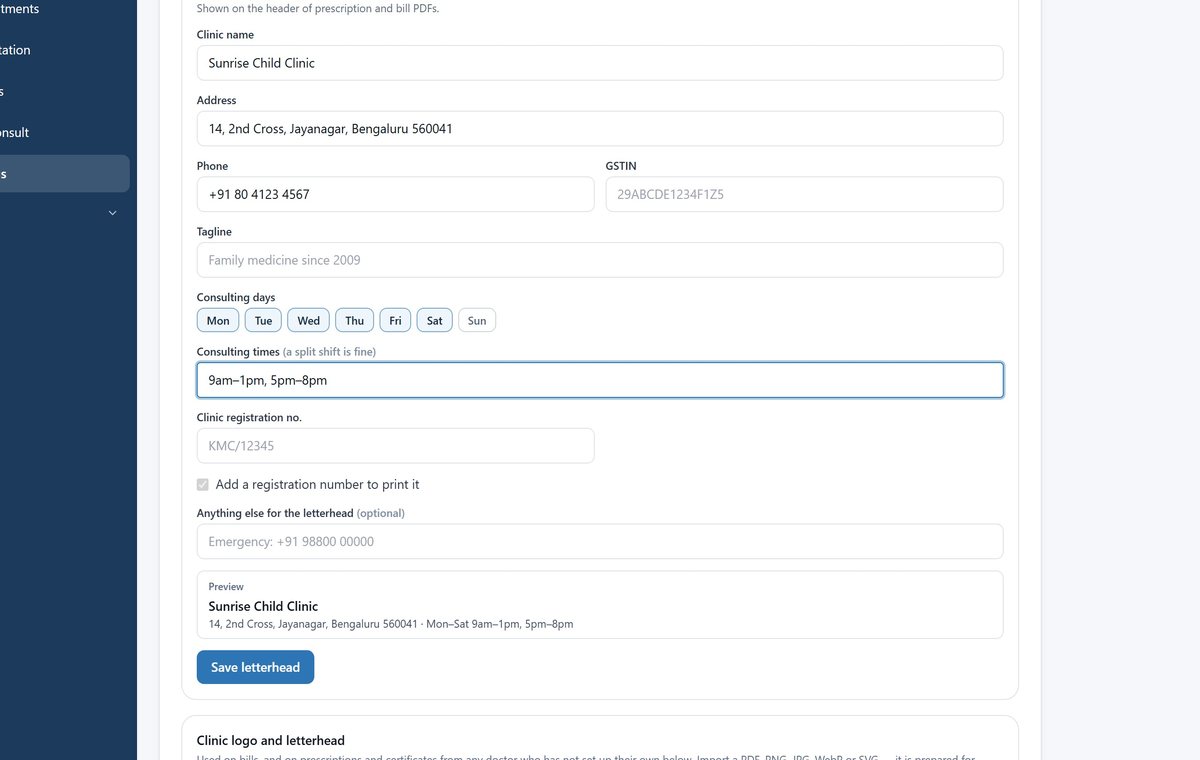
- Settings → Clinic setup: fill in the letterhead — address, phone, consulting days and times. The preview shows what will print.
- Upload your logo. It goes on prescriptions, bills and emails.
- Set each doctor’s fee and working hours. Set the whole week does Mon–Sat in one go. A doctor with no hours cannot be booked online, so do this before your first patient.
- Optional: add your city under Public directory, so new patients can find you in the DoctorLync app.
- 3
Invite your team
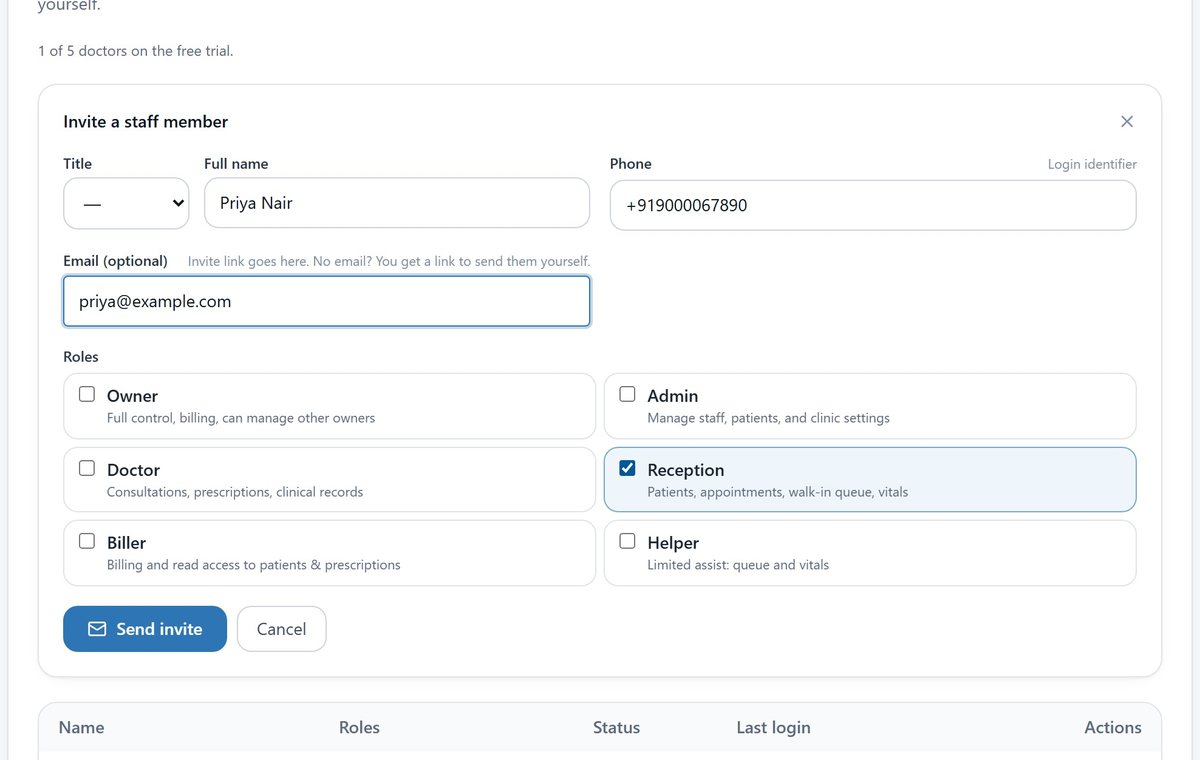
1 minute each- Settings → Team → Invite staff.
- Add their name, mobile number and email, and tick their role: Doctor, Reception, Biller, Helper or Admin.
- They get a text, and an email if they have one, to set their own password, and see only what their role needs.
- 4
Register a patient and book
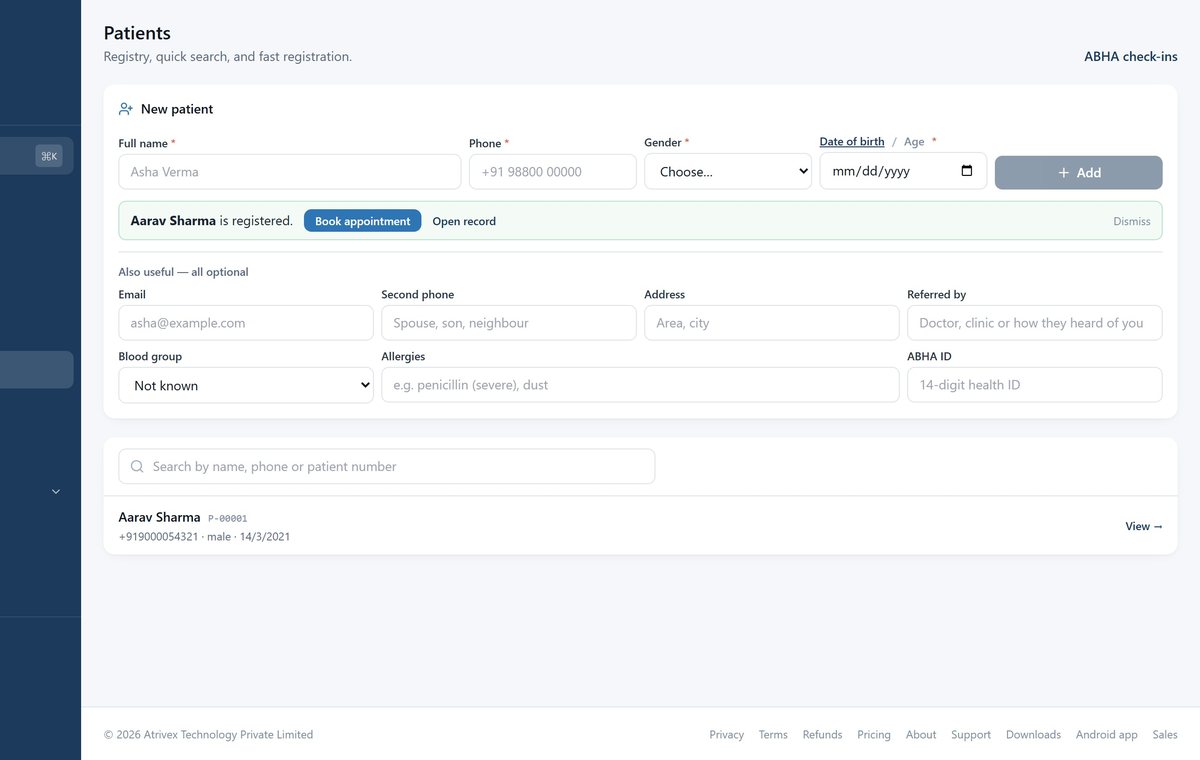
1 minute- Patients → New patient: name, phone, gender and age. Everything else is optional.
- Choose Book appointment, pick the doctor and a time, then Book. The patient is reminded before the visit.
- When they arrive, choose Check in. The doctor sees them waiting.
- Moving from another system? Settings → Data and backups brings your patients in from an Excel or CSV file.
- 5
See your first patient
3 minutes- Consultation: type the patient’s name, phone or patient number, then Open consult.
- Record vitals. Weight and height work out BMI and plot the growth chart.
- Tap symptoms, examination and diagnosis, or type them. ICD-10 codes fill themselves in.
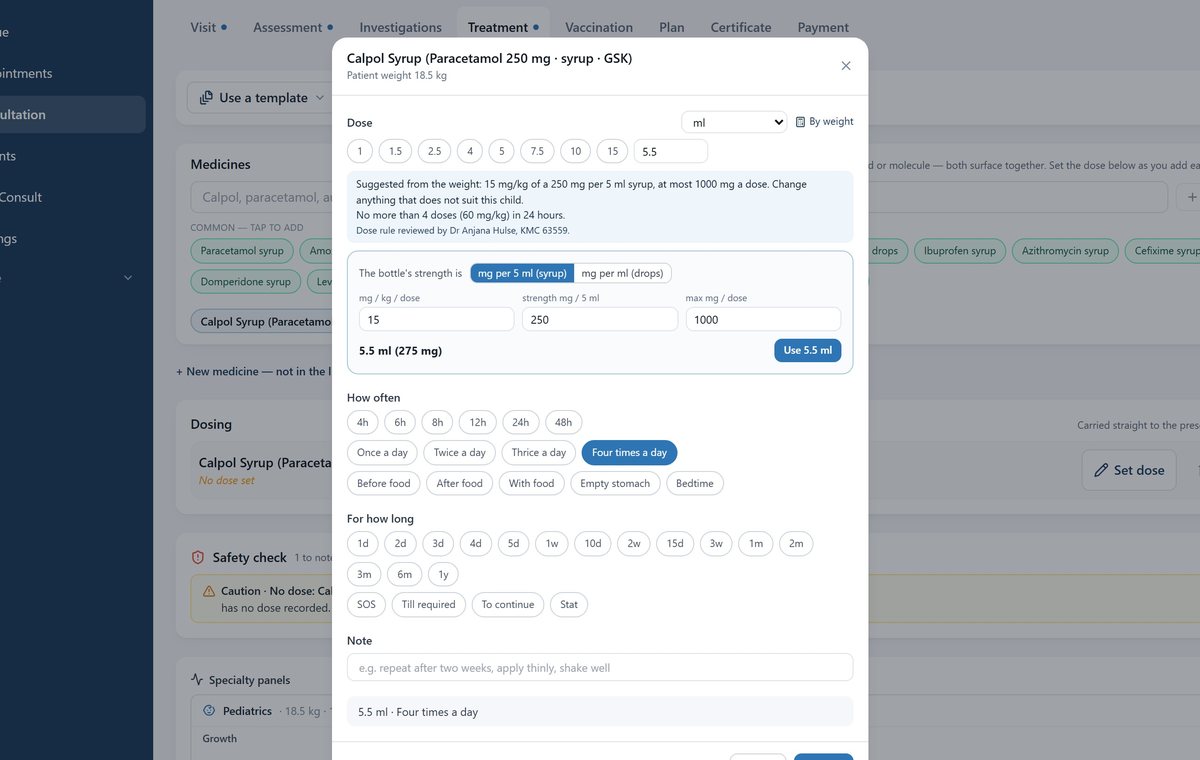
- Add medicines by brand or molecule. For children’s syrups the dose is worked out from weight — change anything that does not suit.
- Add advice and a follow-up, then Payment → Save. Print the prescription, or send it to the patient by SMS and email.
And on your phone
Doctors and staff can work from the DoctorLync app on Google Play. Sign in with the same mobile number and password.
Questions clinics ask
What does it cost?
The first 15 days are free, with every feature, and no card is needed. After that, see pricing.
Do my patients need to install anything?
No. Prescriptions, bills and reminders reach them by SMS and email, and they can book from your clinic’s page online. The DoctorLync app is there if they want it: doctorlync.com/app, printed on every prescription.
Can I bring in my existing patients?
Yes. Settings → Data and backups takes an Excel or CSV file. It shows you which rows will go in, and why any will not, before anything is saved.
We have more than one doctor. Does that work?
Yes. Invite each doctor from Settings → Team. Each has their own fee, hours and calendar, and one front desk books for all of them.
Can I use it on my phone?
Yes. Install the DoctorLync app from Google Play and sign in with the same mobile number and password.
Where are my patients’ records kept?
In India, encrypted, backed up daily, and kept apart from every other clinic by the database itself. The privacy policy has the detail.
Ready when you are
Stuck on a step, or would rather be walked through it? Call or email us.